DK SaaS Documentation
Build, manage and scale your business from one place.
Everything your customers, administrators and developers need to understand the DK SaaS platform, deploy ERP instances, connect integrations and work with the API.
⌕ Use the documentation search to find anythingWelcome to the DK SaaS Documentation. This starter content intentionally uses placeholder examples so you can replace the text, screenshots and links with your real product information.
Quick start
Create your account, choose a plan and launch your first ERP instance.
Learn how to manage instances, users, modules, billing, backups and monitoring.
Configure domains, security, resources and platform-level settings.
Integrate with the API, MCP server, webhooks and custom modules.
Connect AI agents, M-Pesa and other external systems.
Diagnose common account, API, provisioning and ERP issues.
Platform overview
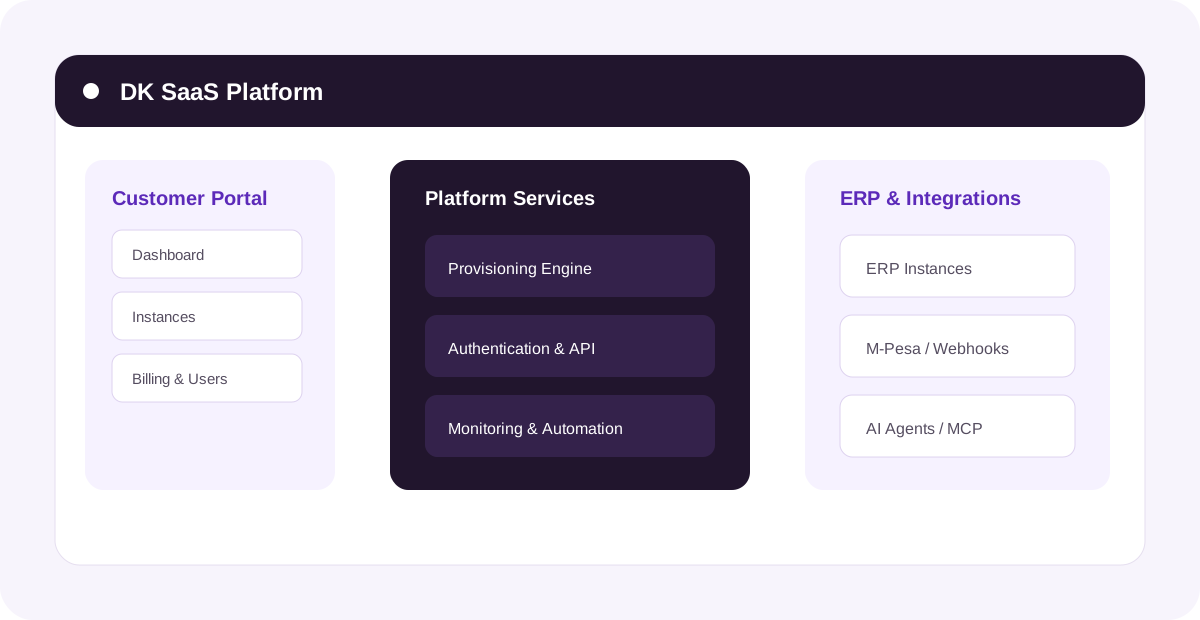
The example platform contains a customer portal, a provisioning layer, ERP instances, integrations and developer APIs. Replace this illustration with a real product screenshot when your UI is ready.
Documentation placeholders
The sample screenshots and values in this project are deliberately fictional. Edit the Markdown/RST files and replace the assets in _images/ with your real screenshots.